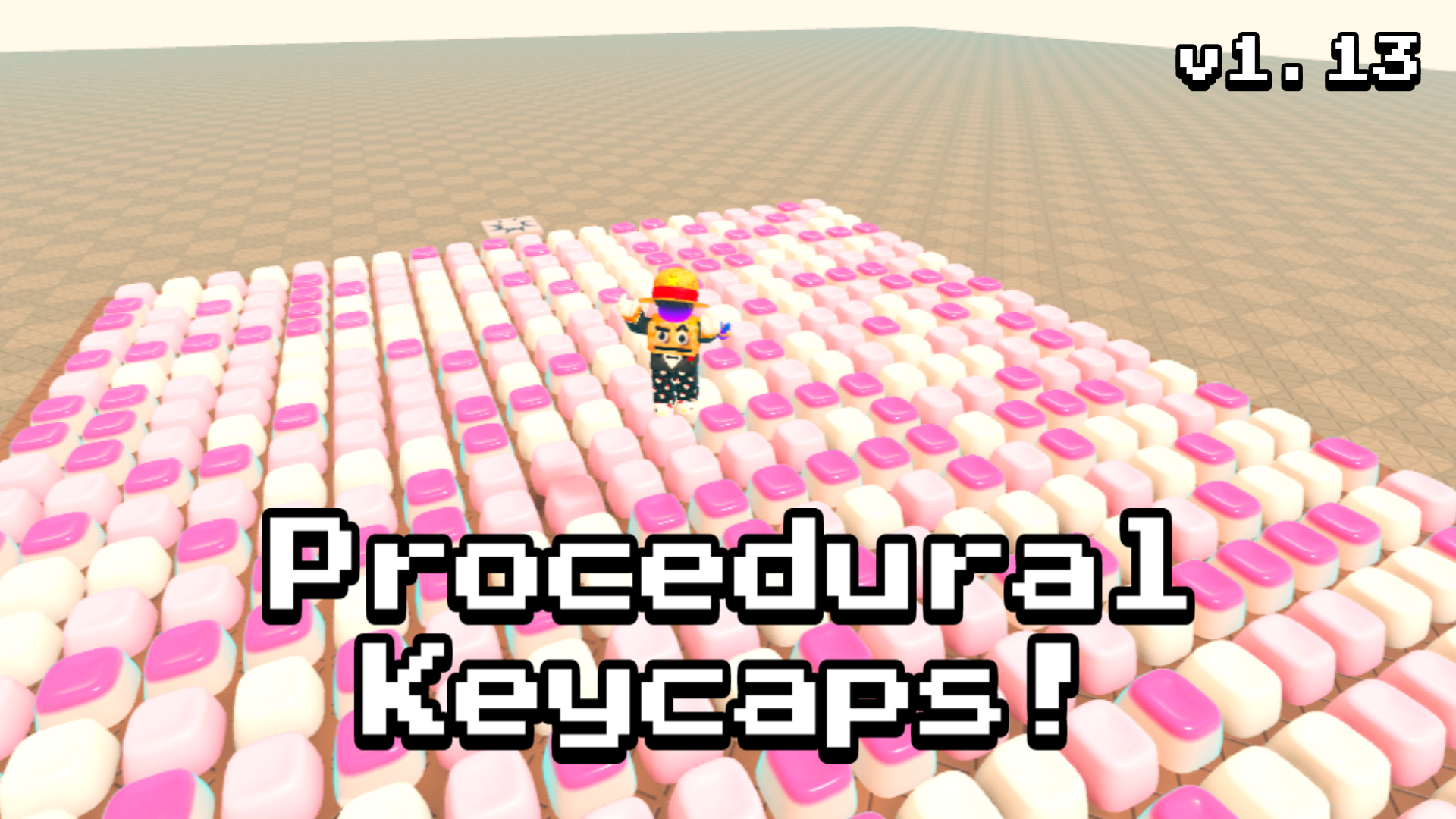
Procedural Keycaps Plugin #️⃣
A downloadable plugin
Keycap Forge
Procedural, Soft-Body Mechanical Keycaps on Any Part in Roblox
Version 1.1.3 • Compatible with PC, Mobile, Console & VR
✦ What is Keycap Forge?
Keycap Forge is a procedural hardware generation engine for Roblox Studio. With zero 3D modeling required, it instantly generates dished, tapered mechanical keycaps across any surface of any Part or Model—complete with real-time soft-body squish physics, authentic switch acoustics, per-key RGB glow, and real-world keyboard typing.
Whether you are creating typing obstacle courses, code locks, hacking terminals, mechanical keyboard simulators, or interactive sci-fi consoles, Keycap Forge gives you production-grade hardware realism with zero manual modeling.
★ Key Features
1. Procedural Geometry & Profiles
- Live Mesh Generation: Generates authentic curved keycaps using Roblox's EditableMesh engine with accurate vertex normals and dish curvature.
- Universal Lite Fallback: Automatically bakes and falls back to optimized CSG Unions on low-end devices and mobile platforms that do not support live mesh creation.
- 20 Keycap Profiles: Cherry, OEM, SA, DSA, XDA, KAT, MT3, KAM, OSA, Choc, LowProfile, Flat, Pillow, Round, Typewriter, Hex, Octo, Gem, Pillar, and Bubble.
- 4 Dish Curvatures: Cylindrical (Cherry/OEM), Spherical (SA/DSA), Flat (Choc/Flat), and Dome (Pillow/Bubble).
- 6 Outline Geometries: Squircle, Circle/Pill, Hexagon, Octagon, Diamond, and Triangle.
- Row Sculpting: Ergonomic row tilt angles matching real mechanical keyboards.
2. Interactive Typing & Physics
- Physical Keyboard Binding: Players can type on their actual computer keyboard to press the matching in-game 3D keycaps in real time.
- Walkable & Humanoid Stepping: Players can step, walk, or jump onto keycaps to press them down.
- Clickable: Direct mouse and touch raycast interaction for terminals, screens, and mobile devices.
- Soft-Body Squish & Bulge: Viscoelastic spring dynamics with Poisson lateral bulging, apex denting, and rebound damping.
- 10 Tactile Response Presets: JellyBounce, Squishy, Balanced, Snappy, DeepThock, Performance, LinearSmooth, Scissor, Trampoline, and RigidSolid.
- Ambient Wave Ripple: Continuous sinusoidal idle waves sweeping across keycap matrices.
3. 12 Layout Matrices
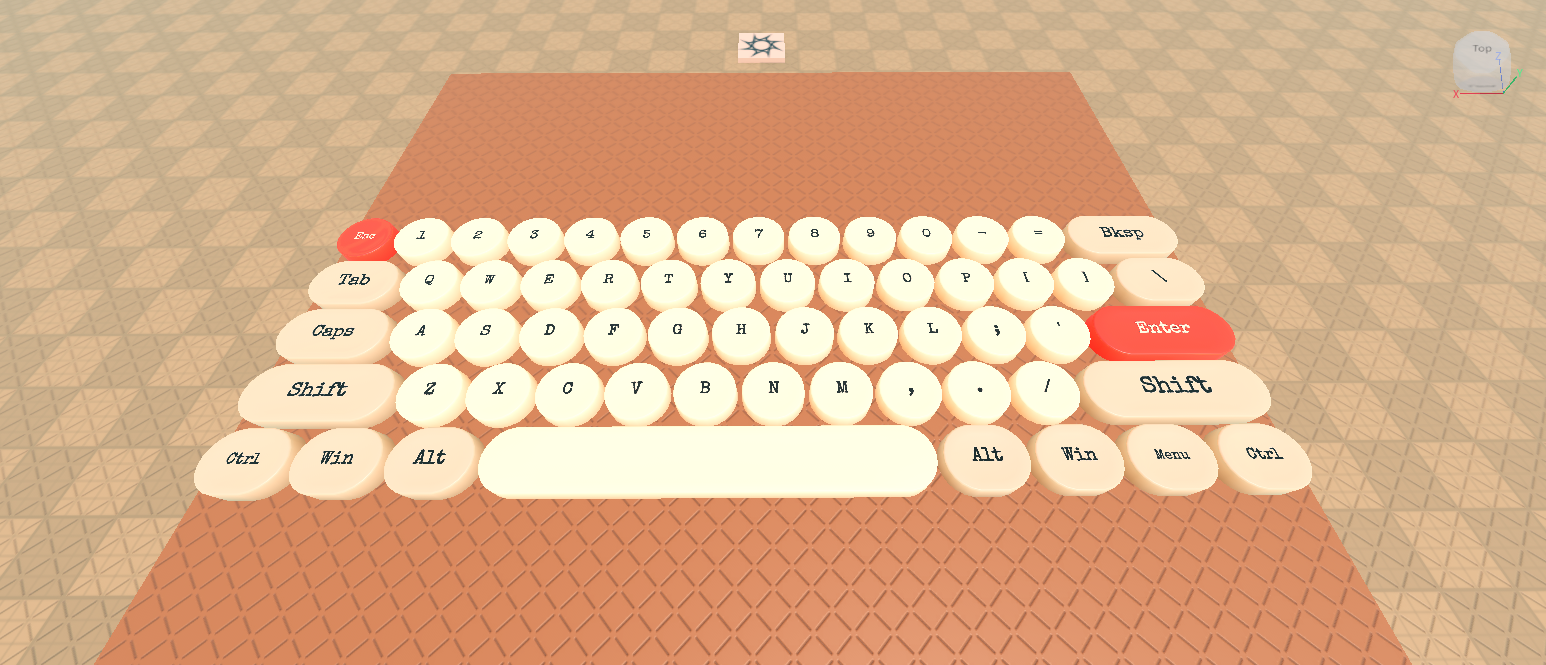
- Mechanical 60% ANSI Board: Full 61-key layout with standard unit widths (1u, 1.25u, 1.5u, 1.75u, 2u, 2.25u, 2.75u, and 6.25u spacebar).
- Numpad: Full 17-key numeric and calculation keypad.
- WASD & Arrow Clusters: Dedicated gaming movement clusters.
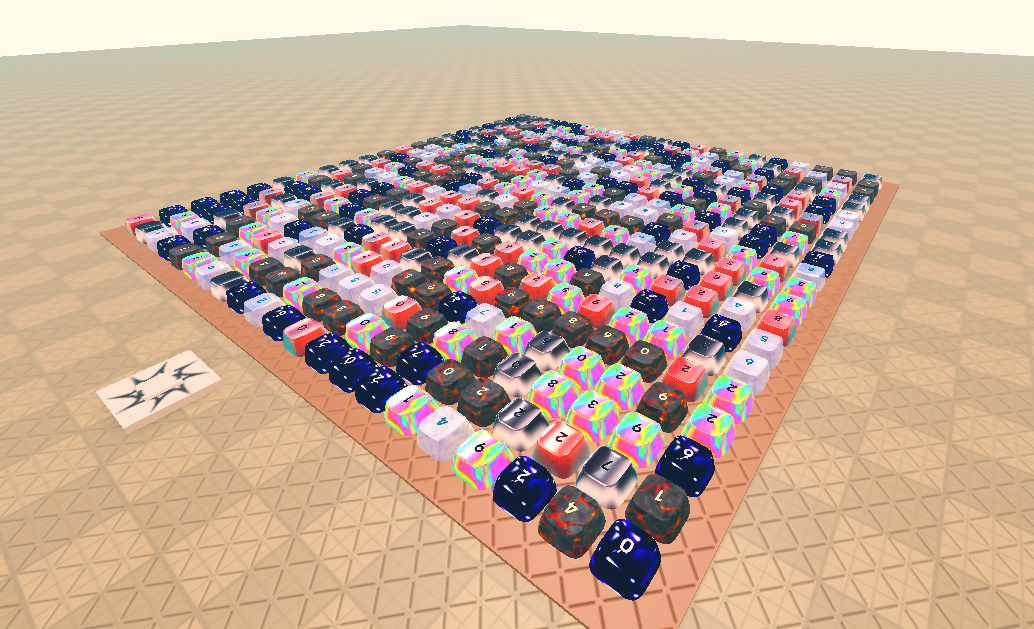
- Architectural Layouts: Grid, Staggered, Line, Perimeter, Ring, and Scatter.
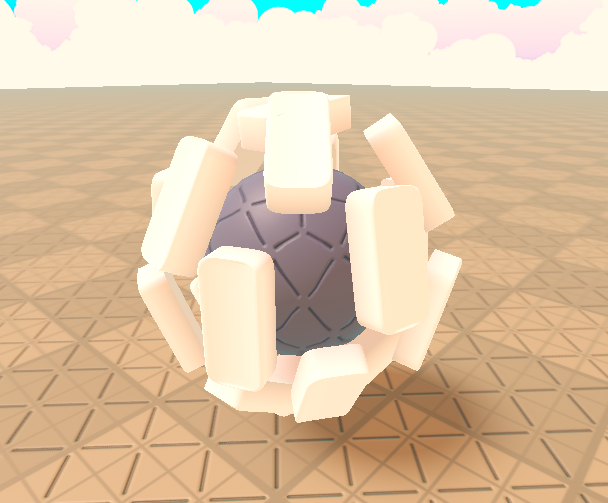
- 3D Surface Wrapping: Projects and conforms keys onto Spheres and Cylinders.
4. Authentic Audio & RGB Glow
- 10 Acoustic Switch Profiles: Cherry Blue Clicky, Topre Thock, Bubble Pop, Creamy Linear, Typewriter, Arcade, Retro 8-Bit, Sci-Fi Laser, Glass Clack, and Custom Sound ID support.
- Voice Stealing Sound Engine: Multi-voice sound pool preventing clipping or audio lag during fast typing.
- Per-Key Lighting: Dynamic point lights that ignite on key actuation and smoothly fade on release.
5. Legends & Typography
- Dish-Riding Mounts: Top text floats smoothly inside the dish indentation during keypresses without clipping through geometry.
- Auto Key Naming: Automatically assigns real key tokens (ESC, TAB, CAPS, SHIFT, ENTER, BKSP, arrows) to layout slots.
- Custom Styling: 29 Builder fonts, custom stroke weights, glow/contrast modes, and front-wall side printing.
6. The Governor Performance Engine
- Adaptive Hardware Tiering: Real-time frame time monitor scales between 5 performance tiers (Lite, Low, Balanced, High, Ultra).
- Zero Frame Drops: Time-sliced physics and mesh generation prevents stuttering on low-end devices.
- Server Storage Isolation: Server-side mirrors run in ServerStorage with zero client network replication bandwidth.
📦 Installation Guide
Method 1: Studio Plugin (Recommended)
- Download
KeycapForge.rbxmx. - Copy the file into your local Roblox Studio plugins folder:
%localappdata%\Roblox\Plugins\KeycapForge.rbxmx - Open Roblox Studio and click the Keycap Forge button in the top toolbar.
- Select any Part or Model in your Workspace and click Create array.
- The plugin will automatically install the runtime scripts to your place.
Method 2: Manual Place Integration
- Place the
KeycapForgefolder into ReplicatedStorage. - Place
KeycapForgeClientinto StarterPlayer > StarterPlayerScripts. - Place
KeycapForgeServerinto ServerScriptService.
💻 Scripting API
Keycap Forge provides simple event hooks for door locks, puzzles, terminals, and typing games:
-- Client or Server script
local ReplicatedStorage = game:GetService("ReplicatedStorage")
local KeycapForge = require(ReplicatedStorage:WaitForChild("KeycapForge"))
-- Fires whenever any keycap is pressed down
KeycapForge.KeyPressed:Connect(function(info)
    print("Key Pressed:", info.Key)          -- e.g. "ENTER", "SPACE", "W", "A"
    print("Actuation Source:", info.Source)  -- "Keyboard", "Click", or "Step"
    print("Keyboard Host:", info.Host.Name)  -- The BasePart or Model
    print("Keycap Part:", info.Part.Name)    -- Physical MeshPart instance
end)
-- Press a key from code
KeycapForge.press(workspace.Desk.Keyboard, "Enter")
❓ FAQ
Will this lag multiplayer servers?
No. Keycap Forge uses palette mesh sharing, time-slicing against your frame budget, and places server mirrors in ServerStorage with zero network replication overhead.
Can I turn keycaps into static parts without scripts?
Yes. Click the Bake button in the plugin action bar to convert any array into ordinary anchored Roblox parts and unions with all scripts removed.
Can I reset changes?
Yes. The plugin includes a Reset all button in the action bar to restore all parameters back to factory defaults, and all actions support Studio's native Ctrl+Z undo.
Keycap Forge Engine • Procedural Mechanical Hardware for Roblox
Purchase
In order to download this plugin you must purchase it at or above the minimum price of $8.99 USD. You will get access to the following files:
Development log
- Keycap Forge - Plugin25 days ago
Leave a comment
Log in with itch.io to leave a comment.